











Your betting account gives you access to football markets, live odds, bet history, and personal settings. To place a bet or check your balance, you need to log in with your credentials. New visitors must register before their first session and should keep their contact details available for account verification.

Throne Bet is presented for players in Tanzania through a browser-based platform and mobile options. After registration, you can sign in from a compatible device and review your personal account. Use only details that belong to you, and do not create or use another person’s account.
How to Access Your Throne Bet Account
The login form is available from the site header. You will normally need the phone number or email address used during registration and the password you created. Enter both details carefully, then select the on-screen login button. If the credentials match, your personal account should open.

Before entering a password, check the browser address bar and confirm that you are using throne-bet-tanzania.com. Avoid links from unknown messages or pages that imitate the site. On a private device, bookmarking the correct address can reduce the risk of opening a misleading page.
- Open the homepage in your browser.
- Select the Login button in the header.
- Enter the registered phone number or email address.
- Type your password carefully, including its capital letters and symbols.
- Submit the form and wait for the account page to load.
If you use a shared computer, sign out before closing the browser. Do not save your password in a public device, and avoid logging in while connected to an untrusted public network. A slow connection can make the page appear unresponsive, so wait briefly before submitting the form again.
| Website login | Mobile app login |
|---|---|
| Open the site in a browser and enter your registered details. | Open the installed Android app and use the same account details. |
| Useful when you are using a laptop or a device without the app. | Useful for regular mobile access, subject to device compatibility. |
Creating a New Throne Bet Account
Registration is required before you can place your first bet. The form requests basic personal and contact information, and you must be at least 18+ years old. Provide accurate information that matches your identification documents if verification is requested.
Begin with the Register button near the login form. Enter your name, working phone number, email address, and date of birth where requested. Use a phone line you can access because the service may send a confirmation code. Choose a unique password rather than one already used for email or social media.
- Open the registration page from the homepage.
- Complete the requested name, phone, email, and date-of-birth fields.
- Create the password and enter it again to confirm.
- Read the terms and submit the registration form.
- Complete any phone or account verification step shown on screen.
- Return to the login form and enter the new credentials.
After activation, review your personal account details before making a deposit. Check that your phone number and email are correct, since they may be needed for password recovery or customer support. Do not submit information that belongs to someone else.
Login Through the Mobile App
The Android application provides another way to reach the mobile sportsbook. Download it only from the official app page, follow the installation instructions for your device, and open the app after installation. The same phone number or email and password used on the website should be entered in the app.
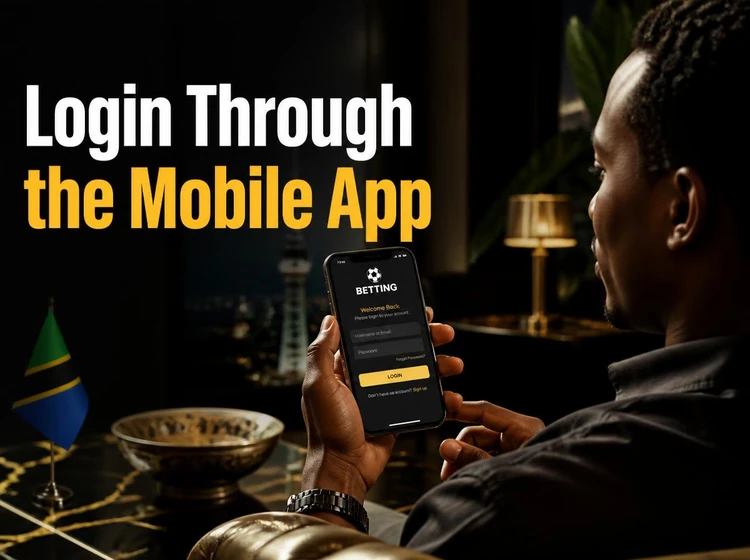
The browser version can be used instead if you do not want to install an app. Open the official site in your phone browser and sign in normally. Account information may be available across devices, but always check the current balance and open slips after switching devices rather than relying on an old screen.
Keep the application updated when a trusted update is available. An outdated version can cause display or compatibility problems. If the app will not load, check the connection, close and reopen it, and try the mobile website before reinstalling anything.
Password Recovery and Login Issues
A forgotten password can usually be addressed through the recovery option below the login form. Select Forgot password?, enter the registered contact detail, and follow the instructions sent by the service. Create a new password that is different from the old one and store it in a private password manager or another secure place.
An incorrect-details message often comes from a typing error, an extra space, or using a phone number when the account was created with an email address. Check the number of digits and password capitalisation. Do not keep guessing repeatedly, because several failed attempts may temporarily restrict access.
If the site is unavailable, wait a few minutes and try again. Test your connection by opening another reliable website, then switch between mobile data and Wi-Fi if possible. Clearing cached files or using a current browser can help when the page remains stuck while loading.
Changing devices or deleting cookies can sign you out; this does not necessarily mean that the account has been lost. Enter the credentials again. If a lock message remains or recovery does not work, contact customer support and provide the error message without sending your password or verification code.
Keeping Your Account Secure
Use a long, unique password with a mixture of letters, numbers, and symbols. Avoid names, birthdays, and simple sequences such as 123456. Change it promptly if you think another person has seen it, and never reuse it on another service.
Never share your login details with friends, agents, or family members. On a public computer, sign out manually and do not select a remember-me option. Check the address bar before every login and be cautious with unexpected messages asking for account information.
If you suspect unauthorised access, change the password and contact support. Review account activity, bet history, deposits, and withdrawals for anything unfamiliar. Keep screenshots or transaction references that may help support investigate the issue.
Best Practices for New Users
After your first login, review your profile and confirm that the contact information is current. Correct details make it easier to receive recovery instructions and respond to an account verification request. Keep your phone available when completing an SMS confirmation step.
Set a spending budget before using the sportsbook and take breaks from online betting. Responsible gambling tools may help you control deposits or activity where available. Never chase losses, borrow money to bet, or continue if betting is affecting your daily responsibilities.
Review your betting history regularly so you can compare your activity with your own records. If you see a transaction or wager you did not authorise, report it promptly through customer support. Sign out of devices you no longer use and update your password when circumstances change.
Frequently Asked Questions
Select the Register button on the homepage, complete the requested personal and contact fields, create a password, and follow any verification instruction shown on screen. You must be 18 or older and should provide accurate information.
Open the official site, select Login, enter the phone number or email used during registration, and type your password. Check the address bar first, especially if you are following a link.
Yes, if the app is compatible with your device. Install it from the official app page and use the same credentials as on the website. The mobile browser is another option if you do not install the app.
Select Forgot password? below the login form and enter the registered contact detail. Follow the recovery instructions you receive, then create a new, unique password.
You can use the same account on a phone, tablet, or computer, but sign out of devices you no longer use. Check your balance and open bets after changing devices.
Use a unique password, never share it, and avoid saving it on public computers. Confirm the website address before signing in and contact support if you notice suspicious activity or an unfamiliar transaction.